OpenCorporates Pricing Explained (2026): plans, API limits, licensing, and what it means in production
OpenCorporates is a common starting point when a team needs access to legal-entity data across many jurisdictions. On paper, the pricing is simple: three self-serve API tiers and an Enterprise option. In practice, the cost and fit depend less on the headline price and more on how you intend to use the API day to day—especially if you’re building anything customer-facing or running matching at scale.
This guide breaks down the current tiers, the call caps, what your real throughput looks like once you factor in searches and retries, and how to think about licensing and usage in a way that procurement and engineering will both sign off on. The goal here isn’t to “sell” you one plan or another—it’s to help you pick the right starting point and avoid unpleasant surprises after integration work begins.
1) The current self-serve tiers and what they include
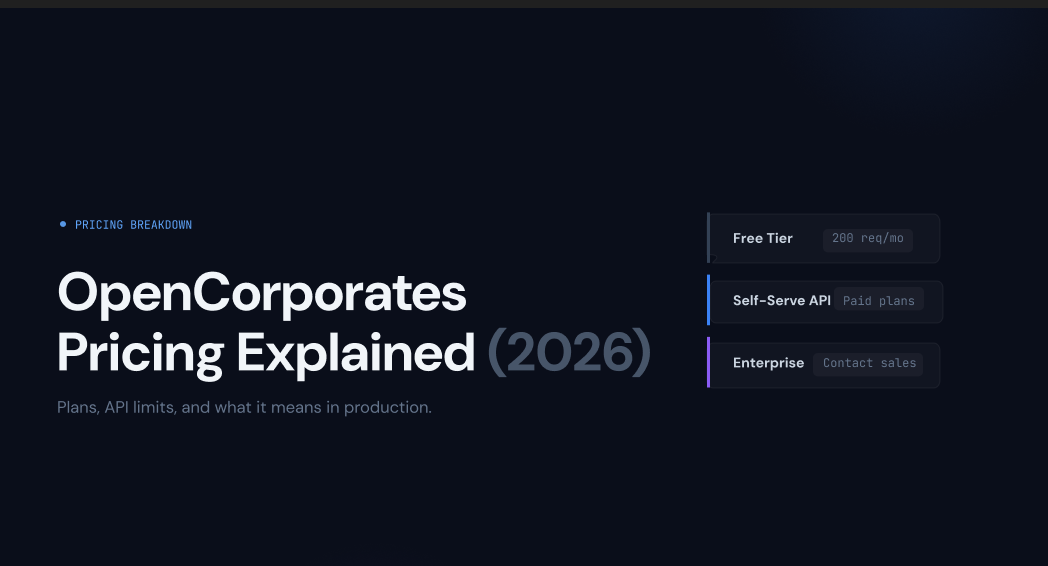
The public self-serve pricing is presented as annual plans, with a monthly equivalent shown for reference. The three tiers are:
- Essentials: £2,250 per year (shown as £225 per month)Includes API access and internal/external use. Caps: up to 500 API calls per month, up to 200 per day.
- Starter: £6,600 per year (shown as £660 per month)Includes API access and internal/external use. Caps: up to 2,500 API calls per month, up to 500 per day.
- Basic: £12,000 per year (shown as £1,200 per month)Includes API access and internal/external use. Caps: up to 5,000 API calls per month, up to 1,000 per day.
There’s also:
- Enterprise: “Talk to a specialist”Includes bulk data delivery, API access, enterprise support, and the ability to choose jurisdictions. Pricing and limits are custom.
That’s the clean summary. The nuance comes from understanding what “API calls” means when you’re doing real matching and verification.
2) What an “API call” is, and why it matters
An API call is a request you send to an endpoint. It’s not “one company,” and it’s not “one successful match.” It’s a unit of usage.
If you’re thinking like a developer, this is intuitive: you hit an endpoint, you consume a request. If you’re thinking like a buyer, it’s easy to miss what this implies:
- A call counts whether or not the response contains a match.
- A call counts even if your query is poorly formed (typo, missing jurisdiction, wrong legal suffix).
- If you build a UI that triggers multiple requests while a user types, those are multiple calls.
This is not unique to OpenCorporates. It’s how most metered APIs work. But it’s the main reason teams sometimes buy a plan expecting it to support a workflow, and then discover they need to redesign the workflow or move upmarket earlier than planned.
3) The Search API reality: you pay for the search, not the outcome
You asked for this to be explicit, so here it is in plain language:
Search calls are billable even when there is no match.
That means a “no results” response still uses one of your monthly calls. For most teams, this becomes relevant in two situations:
- Your input data is messy, so you need multiple attempts to find the right entity.
- Your users drive the search behavior, and humans do what humans do: they try variations, they typo, they search incomplete names.
Neither of those is a “problem” with the data product. It’s simply how metered search APIs behave in the real world.
The question is: can you design your integration so that searches are efficient?
4) Effective cost per call (simple math, useful perspective)
It’s helpful to translate the pricing into a rough cost-per-request, so you can compare it to the value you expect from each request.
Assuming you use the full monthly allocation:
Essentials
- 500 calls/month → 6,000 calls/year
- £2,250 / 6,000 = £0.375 per call(about £375 per 1,000 calls)
Starter
- 2,500 calls/month → 30,000 calls/year
- £6,600 / 30,000 = £0.22 per call(about £220 per 1,000 calls)
Basic
- 5,000 calls/month → 60,000 calls/year
- £12,000 / 60,000 = £0.20 per call(about £200 per 1,000 calls)
Two things to notice:
- The higher tiers are cheaper per call.
- But cost per call isn’t what you feel operationally. What you feel is cost per useful outcome.
If a meaningful share of your calls are “no match” or “wrong candidate,” your cost per verified entity rises quickly.
5) What the call caps mean for real workflows
Here’s where buyers often underestimate usage.
A “company check” rarely takes one call. A common minimal flow looks like:
- Search for candidates
- Fetch details for the chosen candidate
- Optionally: fetch additional context (officers, filings, identifiers, etc.)
Even if you keep it lean, you’re usually at 2–4 calls per company.
Let’s model a conservative workflow at 3 calls per company:
- Essentials (500 calls/month) → ~166 companies/month
- Starter (2,500 calls/month) → ~833 companies/month
- Basic (5,000 calls/month) → ~1,666 companies/month
Now apply reality:
- Some searches will return no match and require a second attempt.
- Some searches return too many candidates and require refinement.
- Some companies require more than one lookup to confirm.
So your practical throughput is lower than the math suggests.
Who the self-serve tiers tend to fit well
- Essentials: evaluation, prototyping, occasional internal verification, boutique investigative use.
- Starter: small controlled workflows where inputs are fairly clean and you can cache results.
- Basic: pilot-in-production use cases with strict throttling and strong caching.
If your use case is “we want to enrich or verify at scale,” the first question shouldn’t be “which tier?” It should be “do we need bulk delivery or a higher-volume arrangement?”
6) The “you can’t pay monthly” point (what to expect)
The pricing is presented as annual plans, and the “per month” figure looks like an equivalent rather than a promise of monthly billing. In practice, many vendors will still support different billing setups depending on how a contract is structured, but you shouldn’t assume it.
If monthly billing is a requirement for your procurement process, treat it as a commercial point to confirm early—before your team commits to integration work.
7) Where teams unintentionally burn through calls (and how to prevent it)
If you want the self-serve tiers to work well, you need to design for request efficiency. Here are the common ways teams burn calls without meaning to—and how to avoid it.
A) “CRM company name” matching
CRM names are messy. They include abbreviations, brand names, internal labels, punctuation, and inconsistent suffixes. If you treat that field as a reliable legal name and call search directly, you’ll get:
- low match rate
- ambiguous results
- retries
Fix: normalize locally before you call search. Strip common noise (punctuation, extra spaces, repeated suffixes), standardize casing, and handle legal forms intelligently.
B) Jurisdiction missing
If you don’t know the jurisdiction, you’re asking a global index to guess. That can work, but precision drops, and retries go up.
Fix: infer jurisdiction where you can. Even weak signals help: billing country, address country, VAT prefix, phone country code, or known operating region.
C) “Search-as-you-type” interfaces
This is a classic quota killer. Every keystroke becomes a paid request.
Fix: simple UI discipline:
- require a minimum number of characters (e.g., 3–4) before searching
- debounce requests (wait until the user pauses typing)
- avoid running a query on every change event
- reuse recent results in-session instead of re-querying
D) Not caching “no match”
Teams often cache successful lookups but keep re-running the same failed searches during batch runs or repeated user attempts.
Fix: cache “no match” outcomes with a time-to-live. If the same query is repeated within a short window, you save calls.
E) Using name search even when you have identifiers
If you have a registration number, tax identifier, or another strong ID, name search should be your fallback, not your starting point.
Fix: build a decision tree:
- if you have a strong ID, try that first
- if not, then use search with jurisdiction + normalized name
- if ambiguous, refine
- only then broaden
This approach reduces “paid empty searches” dramatically.
8) Licensing and permitted usage (the part that decides whether legal says yes)
Pricing alone doesn’t determine whether a dataset is usable for your product. Licensing does.
At a high level, you want to be clear on these points:
- Internal vs external use: are you using the data purely internally, or are you presenting it to your customers?
- Derivative works: if you add value (scores, risk flags, dedupe, monitoring, insights), is that considered a derivative work? What obligations follow?
- Restrictions by jurisdiction: some fields may be restricted for marketing or other uses depending on local rules.
- Redistribution: does your model involve distributing raw extracts or repackaging?
None of these are “gotchas.” They’re normal realities in company data. But if you don’t clarify them early, you end up with a plan that “works technically” and stalls in legal review.
A practical way to handle this: write a one-page “intended use” summary and confirm it against the terms before procurement signs. It saves weeks.
9) When Enterprise is the better starting point (even if you’re tempted by self-serve)
People sometimes treat Enterprise as “the expensive plan.” In reality, Enterprise is often a different product shape:
- bulk delivery is efficient for backfills and large enrichment jobs
- API usage can be structured around stable, predictable needs
- support and setup are designed for production requirements
If your roadmap includes any of these, Enterprise often becomes the rational choice:
- onboarding or verification at scale
- frequent monitoring and updates
- analytics or graph work that needs large volumes
- backfilling large customer/vendor lists
- predictable SLAs and operational confidence
Self-serve tiers can still be a great evaluation step, but you’ll want to be honest about whether the call caps align with your real demand.
10) A practical pre-purchase checklist
Before you pick a plan, answer these questions. They’re simple, but they force clarity.
- What’s your expected match rate from real input data?If your match rate is 60%, then 40% of search calls may produce no match. That’s not “bad,” it’s just a cost driver.
- How many requests does one successful verification take?Write it out. Search + retrieve + anything else. Don’t guess.
- Can you avoid name search most of the time?If you can use strong identifiers, your call efficiency improves dramatically.
- How will you prevent UI-driven call spam?If users can type freely, you need debouncing, minimum characters, and session reuse.
- What’s your caching strategy, including “no match”?If you’re not caching “no match,” you’ll pay for the same failed query repeatedly.
- Is your use case internal, customer-facing, or both?This determines how licensing should be interpreted and how procurement should evaluate risk.
- Do you need bulk delivery for backfills or analytics?If yes, start those conversations early.
11) The balanced conclusion
OpenCorporates’ self-serve plans are clear and predictable: you know the price, you know the call caps, and you can begin integration without a long sales process. For many teams, that simplicity is exactly the point.
Where teams need to be thoughtful is in aligning the plan with how real usage behaves:
- Request-based metering means search attempts are paid attempts, even when there’s no match.
- Low call caps can be perfectly fine for evaluation and controlled workflows, but they demand caching, normalization, and sensible UI design if you want them to hold up in production.
- If your roadmap involves higher volume, frequent refresh, or large backfills, it’s often better to treat self-serve as a validation step and plan for an Enterprise-shaped solution sooner rather than later.
OpenCorporates Pricing FAQ (2026): Plans, API Call Limits, Billing, and Search Costs
1) What does OpenCorporates cost in 2026?
OpenCorporates’ published self-serve API plans are priced annually: Essentials (£2,250/year), Starter (£6,600/year), and Basic (£12,000/year). An Enterprise option is available for bulk delivery and bespoke access, priced on request.
2) Can I pay monthly for OpenCorporates, or is it annual only?
The public self-serve plans are presented as annual pricing (with a monthly equivalent shown for reference). In practice, billing options can vary by subscription setup, so if monthly billing is a hard requirement, confirm it before purchasing.
3) How many API calls do I get with OpenCorporates Essentials, Starter, and Basic?
The published limits are:
- Essentials: up to 500 calls/month and 200/day
- Starter: up to 2,500 calls/month and 500/day
- Basic: up to 5,000 calls/month and 1,000/day
4) Does OpenCorporates charge for a Search API call even if there’s no match?
Yes. A Search API request counts as an API call whether it returns a strong match, multiple candidates, or no results. This is normal for metered APIs: the cost is tied to the request, not the outcome.
5) How much does an OpenCorporates API call effectively cost?
If you use the full monthly allowance, the rough effective cost per call works out to:
- Essentials: ~£0.375 per call
- Starter: ~£0.22 per call
- Basic: ~£0.20 per callYour real cost per “useful result” depends on match rates and how many retries your workflow requires.
6) How many companies can I verify per month with OpenCorporates?
It depends on how many calls your workflow uses per company. As a simple estimate, if verification takes 3 API calls per company:
- Essentials: ~166 companies/month
- Starter: ~833 companies/month
- Basic: ~1,666 companies/monthIf your matching needs retries (common with messy names), plan for lower throughput.
7) Why do I use so many API calls when I’m just trying to match one company?
Matching is usually not one request. A typical flow involves:
- searching for candidates
- retrieving the selected company record
- optionally pulling additional contextIf your inputs are inconsistent (CRM names, abbreviations, unknown jurisdictions), you may need multiple searches—each one counts as a call.
8) How can I reduce OpenCorporates Search API usage and avoid wasting calls?
The biggest call-savers are:
- use strong identifiers (registration number/tax ID) when available
- normalize names before searching (remove punctuation, legal suffix noise)
- filter by jurisdiction early
- debounce UI searches (don’t query on every keystroke)
- cache results and cache “no match” for a period
9) Is OpenCorporates suitable for production KYB and onboarding workflows?
It can be, but it depends on volume and design. Self-serve plans work best when you have clean inputs, strong caching, and controlled search behavior. If you need high throughput, frequent refresh, or large backfills, many teams evaluate Enterprise options (including bulk delivery) earlier.
10) What’s the difference between OpenCorporates self-serve API and Enterprise?
Self-serve plans are fixed tiers with monthly/daily call caps. Enterprise typically supports bulk delivery, custom jurisdictions, and production-oriented support, designed for higher volume and more predictable operational requirements.